 AI 去背
AI 去背 原圖
原圖Portraits & hair
AI 去背Remove a garden background and keep natural curls.
 Cutoutby vztool
移除人像背景,檢查細髮絲與肩部邊緣,儲存為透明 PNG。照片始終留在瀏覽器中。
Your images stay on your device.
TRY IT YOURSELF
此預製案例使用真實 AI 去背結果。載入原圖後,可自行去背、選擇底色並匯出照片。
AI 去背原圖Remove a garden background and keep natural curls.
 AI 去背
AI 去背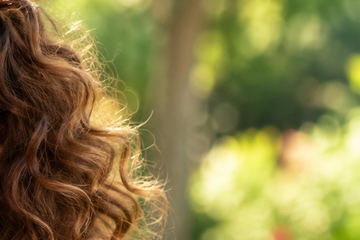 原圖
原圖檢查捲髮之間的空隙。柔邊可能保留原背景的顏色。
 AI 去背
AI 去背 原圖
原圖儲存前,在淺色和深色背景上檢查衣物邊緣。
From photo to finished cutout, in four steps.
上傳人像,保留你需要的完整頭髮和肩部。
執行 AI 去背移除原背景,必要時手動修整邊緣。
放大後用小號筆刷修整,並在白底與黑底上檢查。復原可還原上一次筆畫。
儲存透明 PNG、更換背景或模糊原背景。遮罩 PNG 僅包含去背遮罩。
移除人像背景,檢查細髮絲與肩部邊緣,儲存為透明 PNG。照片始終留在瀏覽器中。
只有點擊「AI 去背」後才執行 AI。
按實際尺寸檢查髮絲間隙與肩部邊緣。用小號擦除或還原筆刷修整,完成筆畫後可復原。
匯出前在白底和黑底上檢查柔邊。羽化只使遮罩柔和,不會去除邊緣雜色或還原遺失的髮絲。
可選擇「原背景模糊」保留柔和背景,或選擇「透明」匯出去背圖。本工具不驗證證件照要求。
開始創作HELP
Quick answers before your next cutout.

批次預設匯出原尺寸透明 PNG,套用商品圖範本後使用範本設定。
AI 去背免費使用。每成功處理 3 次,需選擇一個分享平台關閉彈窗後繼續。失敗或取消不計次。
No. Classic works without AI. Remove a simple background, use the magic wand or draw a lasso. AI cutout is optional for complex subjects.
Use a solid or nearly solid background with a subject of a different color. Gradients, shadows, subjects touching the border and matching colors may need a magic wand or lasso. An uncertain background is left unchanged.
你的圖片留在本機,分享使用預備的 Cutout 宣傳圖與工具連結,不會包含你自己的圖片。
JPG, JPEG, PNG and WebP up to 25 MiB. Images must also fit within 24 million pixels and 16,384 pixels on either side. Invalid replacements leave your current image in place.